
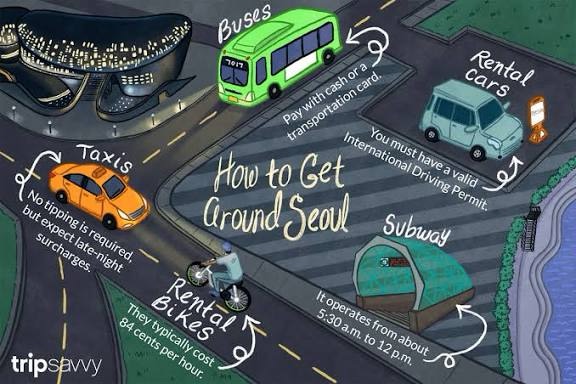
🚇 Your Complete 2025 Guide to Using Korean Subway & Transportation
South Korea has one of the most efficient and foreigner-friendly transportation systems in the world. With a T-money card, Naver Map, and KakaoMap, navigating the subway, buses, and taxis becomes incredibly simple — even for first-time visitors.
Read also: 7 Must-Try Korean Convenience Store Foods
💳 1️⃣ What Is T-money & Why You Need It
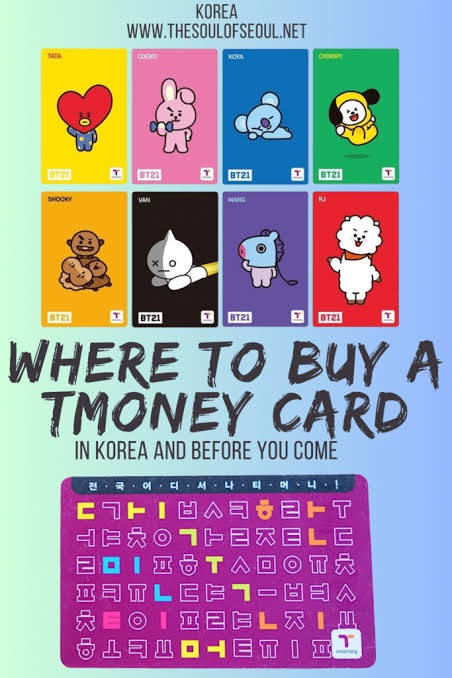
T-money is Korea’s universal transportation card used for:
- Subways
- Buses
- Taxis
- Convenience stores (sometimes)
📍 Where to Buy
- GS25, CU, 7-Eleven
- Airport convenience stores (Incheon / Gimpo)
- Subway station vending machines
🔄 How to Recharge
- Subway ticket machine (cash/card)
- Convenience stores
- T-money app (Android only)
Why it’s recommended: Automatically gives transfer discounts + saves time.
🚇 2️⃣ How to Use the Korean Subway System
The Korean subway is clean, fast, and fully bilingual with English signs.
Step-by-Step Subway Guide
- Tap your T-money card at the entrance gate.
- Check the line color and platform number.
- Transfer by following the clear direction signs.
- Tap again when exiting the station.
Helpful Tips
- Use priority seats only if necessary — it’s strictly respected in Korea.
- Many stations have elevators and escalators for luggage.
- Trains run until around midnight, depending on the city.
🚌 3️⃣ Using Korean Buses
Buses are color-coded and highly efficient. All accept T-money.
How to Ride a Bus
- Check bus arrival times on Naver Map or KakaoMap.
- Tap your T-money when boarding.
- Press the stop button before getting off.
- Tap again at the exit.
Tip: Blue buses cover long routes, green buses run locally, and red buses connect suburbs.
🚕 4️⃣ Taxis & Airport Transportation
Taxis are affordable and easy to hail using Kakao T (English available).
Payment Options
- T-money
- Credit/debit card (most foreign cards accepted)
- KakaoPay (if set up)
From the Airport
- AREX train: Fastest to Seoul Station
- Airport limousine bus: Best for luggage
- Taxi: Comfortable but more expensive
🗺️ 5️⃣ How to Use Naver Map
Naver Map is the most accurate navigation tool in Korea.
How to Navigate
- Search your destination in English or Korean.
- Choose subway, bus, taxi, or walking.
- Follow step-by-step instructions including transfers.
Tip: Naver Map is best for subways & walking routes.
📍 6️⃣ How to Use KakaoMap
KakaoMap provides fast and precise real-time data.
Why Travelers Love It
- Strong live bus tracking
- More detailed map layers
- Great for finding restaurants and shops
💬 Frequently Asked Questions
1. Do I really need a T-money card?
Yes — it’s cheaper, faster, and gives transfer discounts. Single tickets are slower and cost more.
2. Does Google Maps work in Korea?
No. Google Maps cannot provide accurate navigation in Korea. Use Naver Map or KakaoMap instead.
3. Can I use a foreign credit card?
Yes! Most taxis, convenience stores, and subway machines accept Visa, Mastercard, and AmEx.
4. Is public transportation safe at night?
Yes. Korea’s subway and buses are extremely safe with strong CCTV coverage.
5. Can I use Apple Pay or Google Pay?
Some taxis accept Apple Pay, but not all. Always have a T-money card as backup.
✨ Final Tips
With a T-money card and one of the major navigation apps, getting around Korea becomes simple even for beginners. Whether you’re visiting Seoul, Busan, or Jeju, this guide will help you travel comfortably and confidently.
 Discover The Real Korea
Leave a comment